The OverTheRoad.AI app · Android
Snap the rate con. The invoice is built.
Truck turn-by-turn with low-bridge warnings and a driver map with parking — in the same app.
No card. Nothing to cancel. Same login in the app.
Location only when you turn it on. We never sell it.
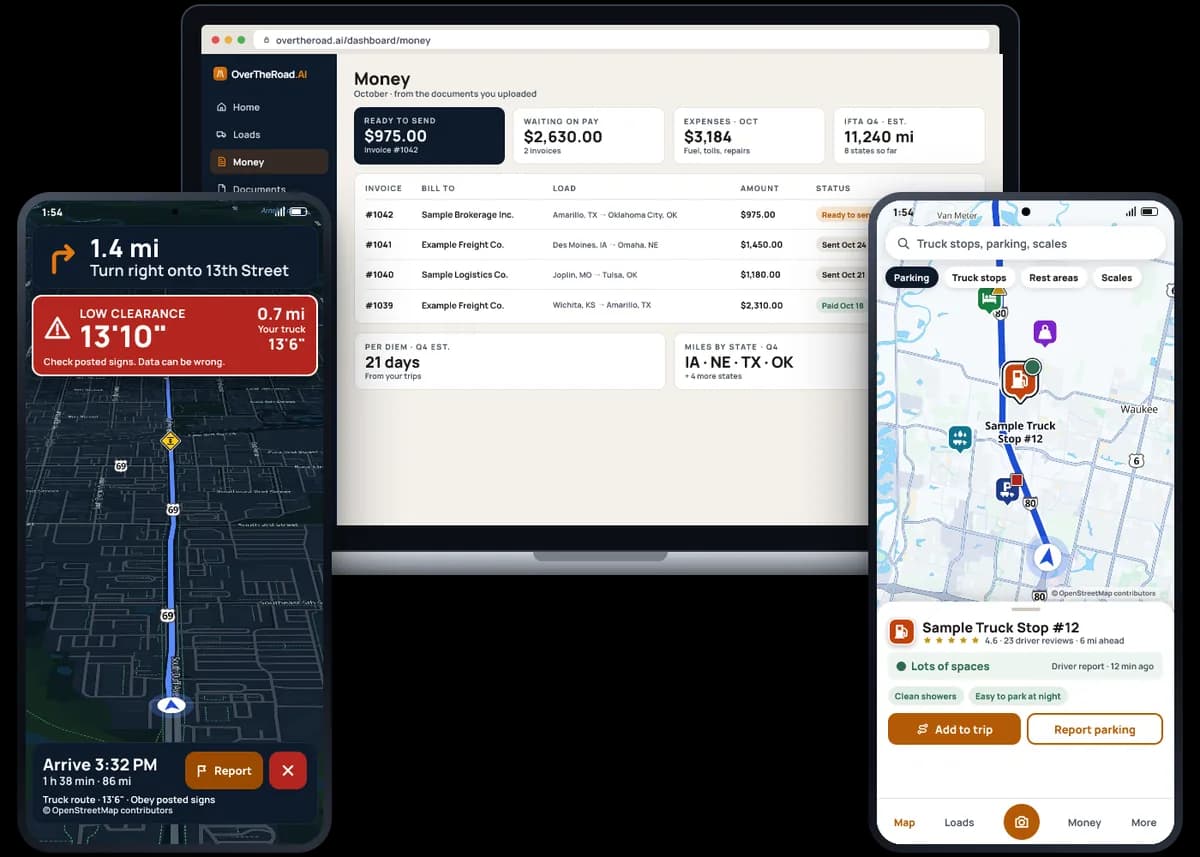
Example screens, made-up names
How it works
- 1Start free on the website
- 2Get the app on Android
- 3Sign in with the same email — it's all there
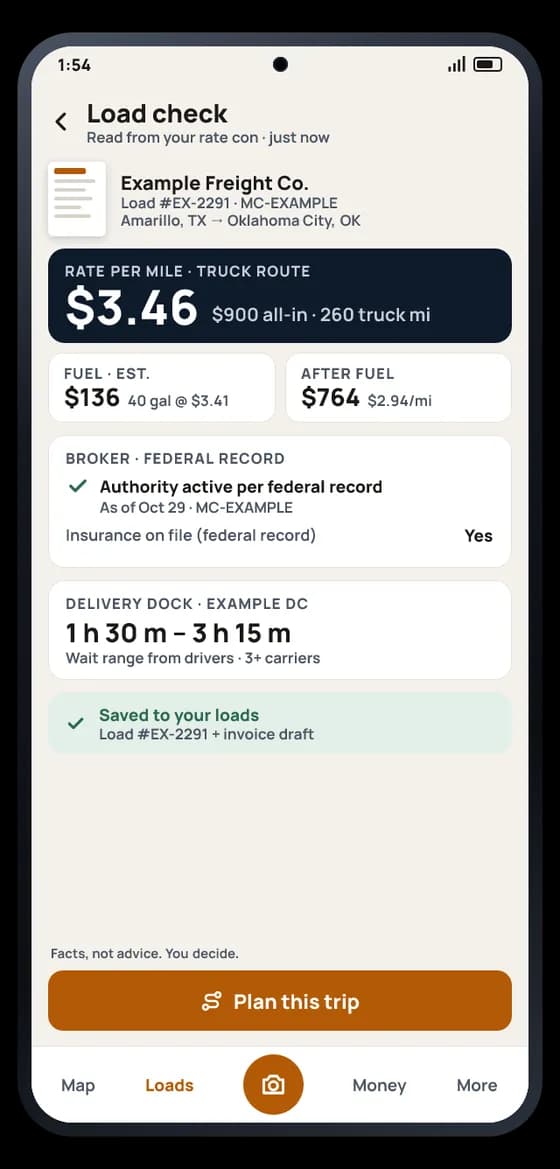
Snap the rate con
Check the load. Then get the trip.
One photo of the rate con and you see what it pays per mile on the truck route, what's left after fuel, what the federal record says about the broker today, and how long the dock usually takes. Tap Plan this trip and your day is laid out.
- Rate per mile on the real truck route, and after fuel
- Broker authority per federal record, as of today
Facts, not advice. You decide.
Truck navigation
Turn-by-turn that knows your truck.
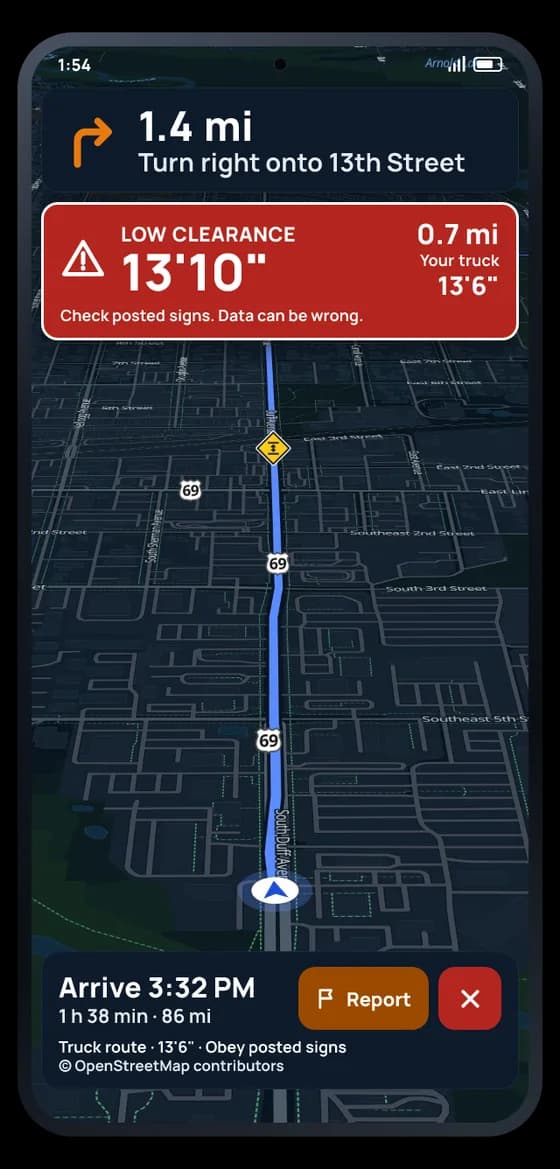
A car map doesn't know you're 13'6" and 80,000 lb. This one routes by your truck's height and weight, and calls out low bridges before you're on top of them.
- Routes by the height and weight in your truck profile
- Low clearances from public bridge records and driver reports — spoken at 1 mile, again at a quarter mile
Truck route — obey posted signs. Turn-by-turn is on Android.
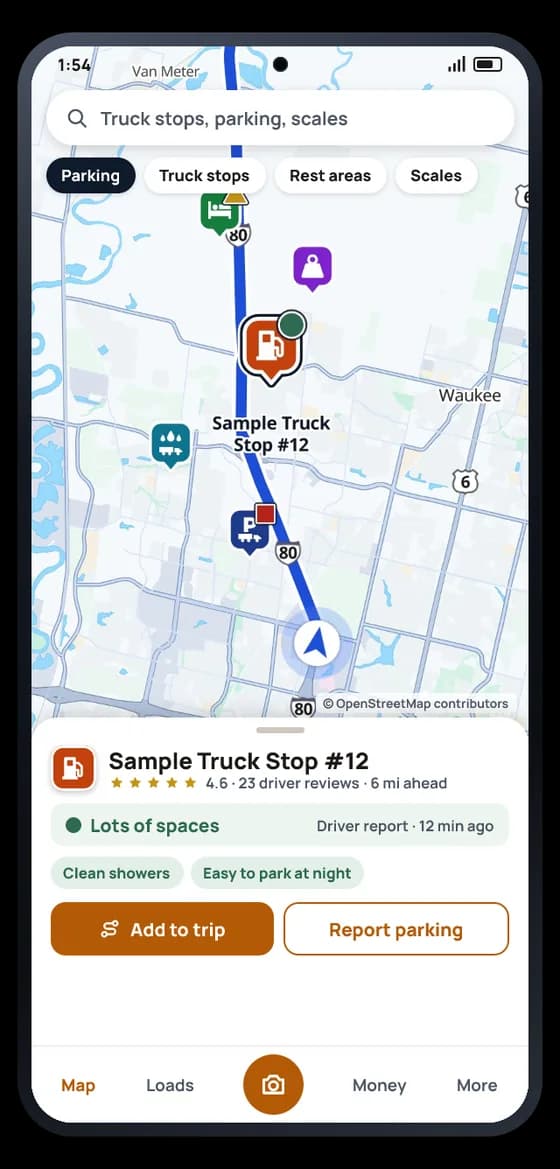
The driver map
Know before you exit.
Truck stops, rest areas, scales and truck parking on one map — with how old each report is, so you know what to trust.
- Parking status with its age — live sensor status where a state shares it
- Star ratings, tags and reviews from drivers
Reports come from drivers and may be out of date.
No card. Nothing to cancel. Same login in the app.
The back office
The paperwork rides along.
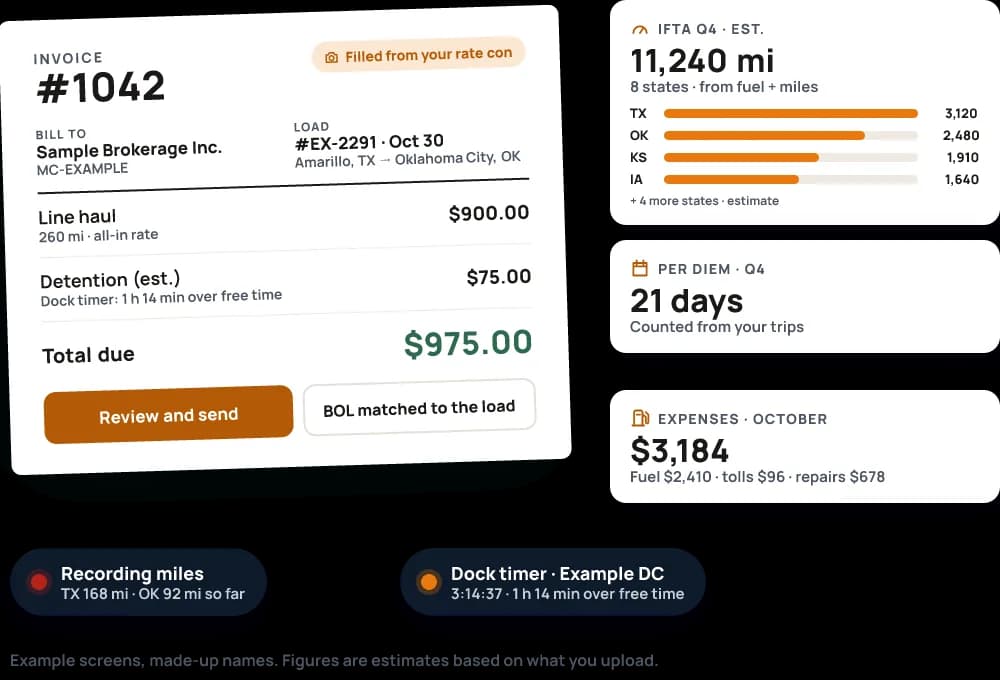
Snap a rate con, receipt or BOL. Invoices fill themselves in, and your expenses, IFTA miles and per diem stay current — from the same app as your map.
- Invoices filled from your rate cons; BOLs and PODs matched to the load
- Record my miles: miles by state from your phone's GPS, for IFTA
Figures are estimates based on what you upload. Check recorded miles before you file.
The map gets you there. The office gets the paperwork done.
Every dock visit, rate con and fuel receipt lands in the same account: loads, invoices, expenses, IFTA and per diem. Phone or computer, it's the same books.
See how the back office worksRun more than one truck? Fleet plans add a live map of your trucks on the website — drivers turn sharing on themselves, only while they navigate. See how Fleet works
Questions
What does it cost?
Start with a free 30-day trial — no card to start. Plans and prices are on the pricing page. See plans
Do I need a new account for the app?
No. Start on the website, then sign in to the app once with the same email. Your loads, documents and settings are there.
What do you do with my location?
Location is off until you turn it on, and you can turn it off any time. The app reads it only when you use a feature that needs it — I've arrived, Near me, navigation or Record miles — and stops when you're done. Route points are deleted after 90 days. We never sell or license your location. Privacy policy
Does it work without signal?
Partly. A dock timer keeps running, and snaps and reports wait and send when you have signal again. The map and routes need a connection.
Is it on iPhone?
Android comes first. iPhone is next. Until then, your account works in your phone's browser at overtheroad.ai.
Can I buy a plan in the app?
No. Plans are handled on the website. The app is for running your day.
Start today. The app picks up where you left off.
No card. Nothing to cancel. Same login in the app.
Already have an account? Get the app on Google Play
Parking and road reports come from drivers and may be out of date — obey posted signs. Money, IFTA and miles figures are estimates based on what you upload and record.