Bookkeeping for Owner-Operators
You don't need a CPA on speed dial to keep your books straight. Here's how to track your income, expenses, and profitability — the simple way.
Last updated: 10 min readBy OverTheRoad.AI Team
The owner-operator P&L cheat sheet
| Typical CPM (solo O/O) | $1.60 - $2.20 / mile (varies by lane, equipment, fuel) |
|---|---|
| Typical RPM (revenue per mile) | $2.00 - $3.00+ / mile (line-haul, varies by season) |
| Profitability threshold | RPM > CPM by enough margin to cover taxes (≥25% of net) + emergency reserve |
| Fuel as % of revenue | 30-40% (the biggest single line item) |
| Quarterly tax reserve | 25-30% of net income (federal SE tax 15.3% + income tax) |
| Audit-safe receipt retention | Many CPAs recommend keeping records ~7 years for federal returns; 4+ years for IFTA |
Why Bookkeeping Matters
Most owner-operators know roughly what they gross. Fewer know what they actually net. Without clean books, you can't tell if a lane is profitable, if you're overspending on fuel, or how much to set aside for taxes.
Good bookkeeping isn't about being an accountant — it's about knowing your numbers so you make better decisions on the road.
The Numbers That Matter
- Gross revenue: Total income before any deductions
- Revenue per mile (RPM): Gross revenue divided by total miles (loaded + deadhead). This is the single best metric for comparing loads. A typical RPM for an owner-operator runs $2.00-$3.00+ depending on your market.
- Net income: What's left after fuel, insurance, maintenance, payments, and all other expenses
- Operating ratio: Total expenses divided by revenue. Below 90% is healthy. Above 95% means you're barely breaking even.
Pro Tip
Track revenue per mile weekly. If your RPM is trending down, you're either accepting worse loads or running more deadhead miles. Either way, you need to see it in real time — not at the end of the quarter.
Expense Categories to Track
Break your expenses into these categories for clarity at tax time:
- Fuel — your largest variable cost (typically 30-40% of revenue)
- Truck payment / lease — fixed monthly cost
- Insurance — liability, cargo, physical damage, occupational accident
- Maintenance & repairs — tires, oil changes, brakes, unexpected breakdowns
- Permits & fees — IFTA, IRP, UCR, 2290, authority renewal
- Tolls — EZ-Pass, turnpike, bridge tolls
- Communication — phone, ELD subscription, load board fees
- Meals & per diem — DOT per diem rate for days away from home
Weekly vs Monthly vs Quarterly
Weekly: Log loads, fuel purchases, and major expenses. This takes 10 minutes if you're using an app — or 30-60 minutes with a spreadsheet.
Monthly: Review revenue per mile trends, check that recurring expenses match your expectations, and reconcile bank statements.
Quarterly: File IFTA, estimate tax payments, review profitability, and set aside money for taxes (typically 25-30% of net income for self-employment tax + income tax).
Spreadsheet bookkeeping
- Spreadsheet with 12 tabs that breaks every quarter
- Manual data entry from receipts, fuel cards, and bank statements
- Formulas that get corrupted when you edit the wrong cell
- Can't see revenue per mile until you finish updating
- Tax time means days of catch-up work
OverTheRoad.AI bookkeeping
- Fuel card + ELD + bank sync — everything categorized automatically
- Snap a receipt — it's filed to the right expense category
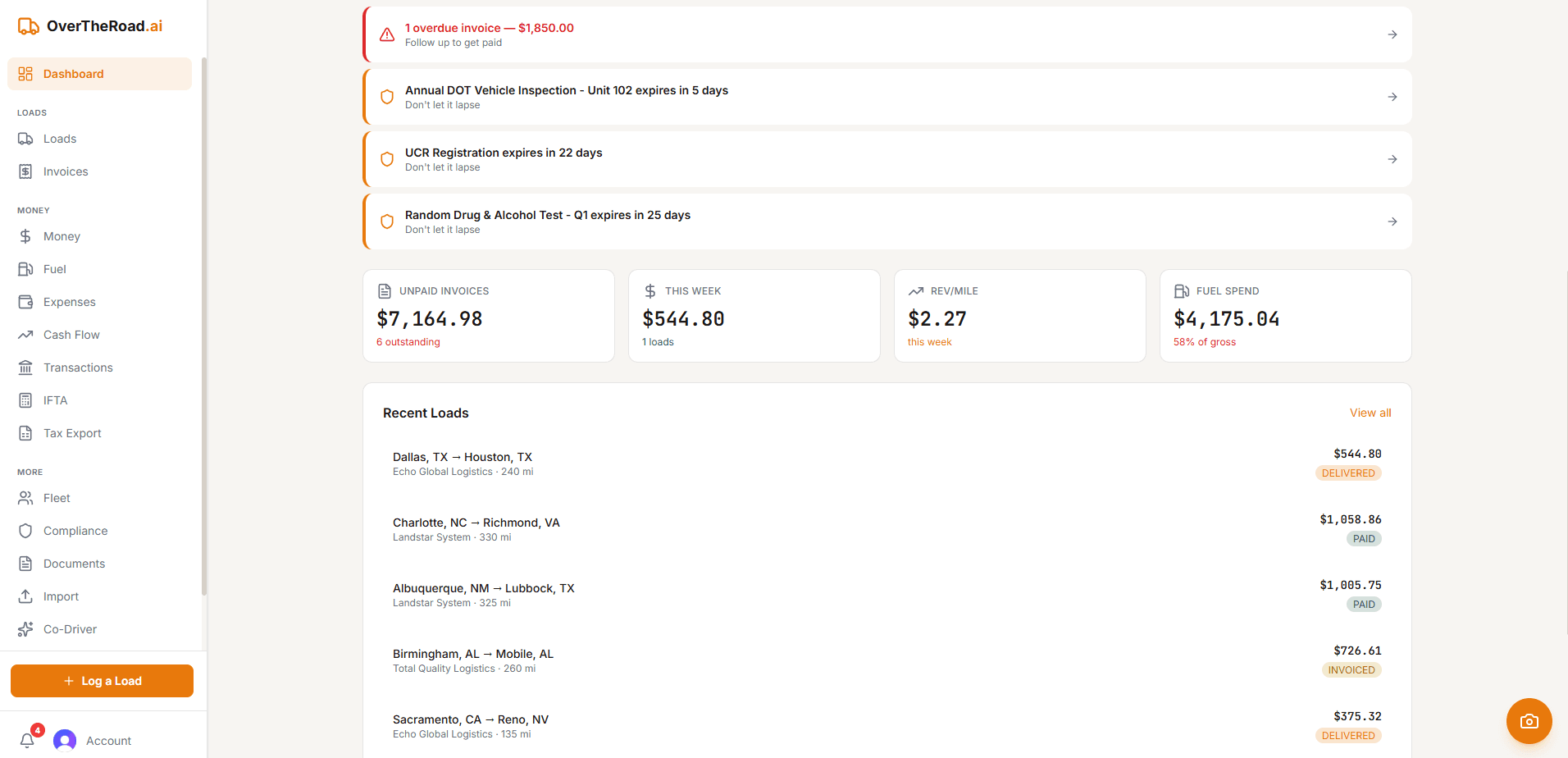
- Revenue per mile calculated in real time, per load
- Dashboard shows exactly where you stand, always current
- One-click tax export — hand it to your CPA and you're done
What Your CPA Actually Needs
At tax time, your CPA needs: total gross income, expenses broken down by category, IFTA records, and a list of assets (trucks, trailers, equipment) with purchase dates and costs. If your books are clean, tax prep takes an hour. If not, it takes days and costs more.
How OverTheRoad.AI handles this
Your books stay current without lifting a finger
- Fuel card imports from EFS, Comdata, and other major fleet cards — categorized automatically
- Bank sync categorizes deposits and expenses in real time
- Revenue per mile, operating ratio, and profitability calculated per load
- One-click tax export for your CPA — categorized and ready
Related Guides
Want your real cost per mile in 3 minutes?
Drop a settlement or rate con — our free analyzer pulls CPM, RPM, broker margin, and IFTA prep.